How to Set Up Security Alerts in Online Shopping Apps
In an age where technology reigns supreme, the ease of online shopping has revolutionized how consumers purchase goods and services. From fashion to electronics, the online marketplace offers unparalleled convenience. However, with this convenience comes a plethora of risks, making it crucial for shoppers to prioritize their online security. One of the most effective and simple strategies to safeguard your personal information is by setting up personalized security alerts within your favorite shopping apps.
The Importance of Security Alerts
Security alerts act as your vigilant sentinels in the world of digital transactions. They provide real-time notifications that help you react promptly to any suspicious activity. For instance:
- Unusual account activity: Imagine receiving an immediate alert informing you that a transaction has taken place from a location 1,000 miles away. These alerts empower you to investigate swiftly, potentially stopping fraud before it escalates.
- Password changes: You may not always be the one attempting to change your login credentials. Notifications regarding attempted changes serve as a critical warning, enabling you to secure your account before it can be compromised.
- New device logins: Each time you log in from a new device, it’s important to be aware. Alerts notify you if an unfamiliar device accesses your account, which can help in identifying unauthorized access.
Without these alerts, you may feel blind to the subtle signs of fraud that could jeopardize your sensitive information.
Staying Informed
Setting up security alerts not only enhances the protection of your personal data but also enables you to manage potential fraud risks effectively. These alerts help you remain informed about your spending habits, allowing you to ensure that every transaction aligns with your records. As data breaches continue to make headlines, often involving millions of records from leading retailers, maintaining vigilance is more vital than ever.
Have you ever experienced the anxiety of realizing that your credit card information might have been compromised? By implementing personalized security alerts across various platforms, you can significantly alleviate that concern. Many popular shopping apps, such as Amazon and eBay, offer customizable security settings, allowing you to decide what kind of notifications you want to receive.
Embrace the power of technology to bolster your online shopping experience. By taking proactive measures like setting up security alerts, you’re not just protecting your finances; you are also enjoying peace of mind amidst the vast world of online retail. So, why wait? Begin exploring how to customize your security settings today to stay one step ahead in the realm of digital shopping.
DIVE DEEPER: Click here to discover how A/B tests can enhance user experience
Understanding the Steps to Set Up Security Alerts
In today’s digital-first world, securing your online shopping activities cannot be underestimated. With a surge in e-commerce, shopping apps have become a convenience many rely on; however, this increase in convenience also comes with potential risks. Understanding how to set up security alerts is a fundamental measure to protect yourself against fraud and unauthorized transactions. The process can vary from app to app, but the core principles remain similar. This guide will walk you through the essential steps, ensuring you have the tools needed to enhance your digital security effectively.
Access the Settings: Start the journey by opening your preferred shopping app. Look for the settings menu, usually symbolized by a gear icon or your profile picture in the upper corner of the app. Once you click into this section, you’ll find an array of personalization and security options, creating a foundation for your customization.
Navigate to Security Options: After accessing settings, your next step is to locate the security options. These may be labeled as ‘Security’, ‘Account Security’, or ‘Privacy’. This is the hub where most of your defenses will be established, housing essential features aimed at keeping your account secure never has been more vital.
Enable Notifications: Within the security settings, you should find options to enable security alerts or notifications. It is crucial to toggle these options to activate alerts for significant activities such as transaction notifications, password changes, and login attempts. This proactive measure ensures any unusual activity is promptly communicated to you, thus allowing you to take immediate action if necessary.
Customize Alert Preferences: One size does not fit all when it comes to security alerts. Take advantage of the customization features often offered by shopping applications. Decide how you wish to be notified—whether through email or push notifications on your mobile device. Tailoring your alert preferences not only helps you to stay informed but also reduces the risk of alert fatigue. For instance, while a significant purchase should trigger an immediate notification, less consequential actions may warrant a less stringent alert setting.
Review Regularly: Setting up your alerts isn’t a one-off task. Regularly reviewing your alert settings is crucial. Updates in app functionalities or your own security preferences may necessitate changes over time. Making it a habit to check your settings every few months ensures that your digital defenses remain robust, aligning with best practices as new security threats emerge.
The implementation of these security measures not only strengthens your defenses but also keeps you actively engaged in managing your security. A proactive stance is essential in today’s cyber landscape, where threats often appear unexpectedly.
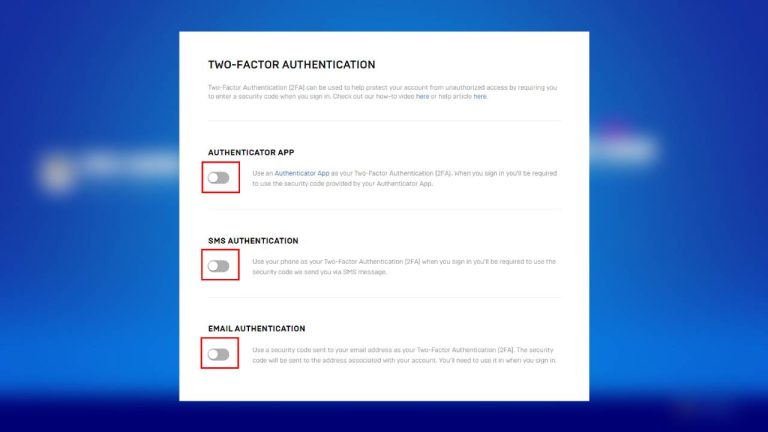
Additionally, many shopping apps offer advanced security features such as two-factor authentication (2FA) and biometric logins (like fingerprint or facial recognition), which provide an extra layer of protection. By utilizing these supplemental tools alongside your security alerts, you’re significantly enhancing your defense against potential unauthorized access. Imagine the peace of mind that comes from knowing that even if someone obtains your password, they would still need a second form of verification to gain access to your account.
As you navigate the convenience of online shopping in the United States—where apps like Amazon, eBay, and Target dominate your purchasing choices—consider that protecting your financial and personal information is paramount. Robust security measures, supported by vigilant monitoring through alerts, can profoundly shield your investments against electronic threats. By taking these steps today, you embark on a more secure shopping journey that empowers you to shop confidently, knowing that your information is well-guarded.
| Security Feature | Importance |
|---|---|
| Real-Time Transaction Alerts | Provides immediate notifications on transactions to ensure any unauthorized purchases are quickly identified. |
| Account Activity Tracking | Monitors changes in account settings or personal information, protecting against identity theft and fraud. |
Setting up security alerts in online shopping apps is not just a precaution; it’s a necessity in today’s digital marketplace. By implementing these safety measures, users can significantly reduce their risk of falling victim to fraudulent activities. One of the most vital features is the incorporation of real-time transaction alerts. These alerts immediately inform users about any purchases made using their accounts, enabling swift action if the transactions are unauthorized.Additionally, account activity tracking ensures that users are notified of any changes to their profile or settings, which is essential in defending against identity theft—a growing concern in the realm of online shopping. Keeping users informed of their account status fosters a proactive approach to security, allowing them to take immediate steps to safeguard their financial information. Staying vigilant and informed through these security features can lead to a safer shopping experience, ultimately encouraging consumers to enjoy the convenience of online buying without the worry of security threats.
DISCOVER MORE: Click here to learn how A/B tests can enhance your app’s user experience
Leveraging Additional Safety Features
Beyond basic security alerts, there are several advanced features available in many online shopping apps that can significantly enhance your security posture. By effectively combining these features with your personalized alerts, you can create a robust defense system against potential threats that lurk in the digital space.
Consider Two-Factor Authentication (2FA): Most leading online shopping platforms, such as Amazon and eBay, provide two-factor authentication as a security measure. By enabling 2FA, you will be required to provide a second verification step whenever you attempt to log in to your account. This could involve entering a code sent to your mobile device or using an authentication app. Such an added layer serves as a guardrail, making unauthorized access far more difficult even if your password is compromised. Cybersecurity experts consistently emphasize that 2FA can block over 90% of automated hacking attempts, making it a critical tool in your protection arsenal.
Utilize Biometric Logins: If your shopping app supports it, biometric logins using facial recognition or fingerprints provide a seamless yet incredibly secure way to access your accounts. Not only do biometric methods offer speed and convenience, but they also eliminate the need to remember complex passwords, reducing the risk of password-related breaches.
Stay Informed of Phishing Attempts: In addition to setting up alerts, educating yourself about the common tactics utilized by scammers can drastically improve your overall security. Phishing attempts frequently occur through deceptive emails or SMS messages that appear to be from legitimate sources. Always scrutinize the sender’s address and be wary of unsolicited communications asking for personal or payment information. Many online shopping apps also include a reporting feature for suspicious activities directly through their customer service channels, providing a straightforward way for users to double-check any anomalies.
Monitor Your Accounts: Regularly reviewing your transaction history within the shopping app, as well as linked financial accounts, is pivotal. Establish a routine of checking for unauthorized purchases, and take immediate action if you spot anything suspicious. Some apps even allow you to set spending limits or alerts for transactions that exceed a certain amount, serving as another layer of proactive monitoring.
Use Virtual Payment Methods: Employing virtual or disposable credit card numbers, when available, offers another level of security. These one-time-use cards can reduce the risk of having your primary payment details exposed. Many leading financial institutions now offer virtual cards specifically designed for online transactions, making them an attractive option for savvy shoppers.
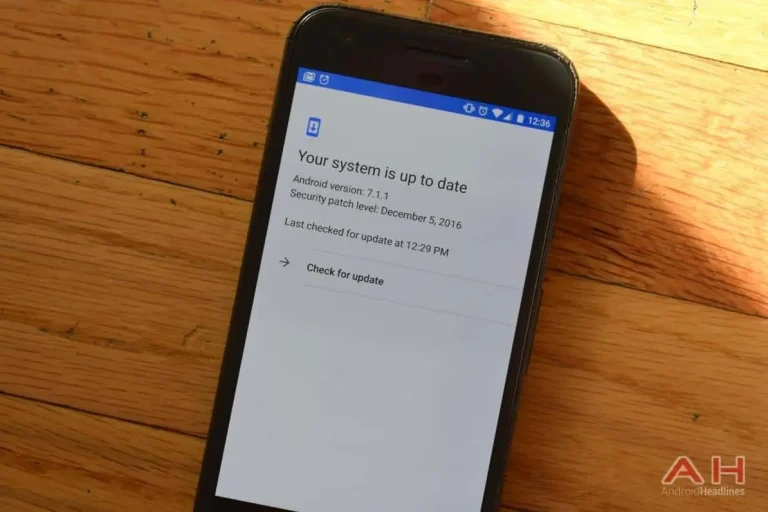
Update Regularly: Staying vigilant also means keeping your app updated with the latest security features. Developers frequently roll out updates to safeguard against newly discovered vulnerabilities and improve overall user security. Enable automatic updates where possible, or set a reminder to check manually every few weeks.
The landscape of online shopping is evolving, demanding that consumers adapt to ensure their safety. As you embrace these security tools and practices, remember that empowerment through knowledge is equally vital. Sharing insights with friends and family can raise awareness of online security, fostering a collective vigilance that can further deter fraud. Consider consistently discussing online shopping safety during gatherings or through social media to help keep your network informed about best practices.
By integrating proactive security alerts with these additional measures, you will significantly enhance your defenses against the myriad of threats that exist within digital shopping environments. Stay informed, remain cautious, and enjoy the conveniences of online shopping securely.
DISCOVER MORE: Click here to learn how A/B tests can enhance your app’s user experience
Conclusion
In an era where online shopping is only a few clicks away, the necessity for heightened security cannot be overstated. By setting up security alerts in your favorite shopping apps, you create an active defense mechanism against potential threats. Combined with features like two-factor authentication and biometric logins, these alerts provide a comprehensive approach to protecting your financial data. It’s crucial to remain vigilant; this not only includes monitoring your accounts and recognizing phishing attempts but also staying updated on the latest security features offered by app developers.
Do not underestimate the power of consistent communication about safe online shopping practices within your social circles. Sharing knowledge can cultivate a culture of awareness, where everyone takes an active role in safeguarding their financial information. Utilize tools like virtual payment methods or disposable card numbers to further minimize risks, and establish a routine check on your transaction history to spot any abnormalities promptly.
As you navigate the evolving digital marketplace, remember that informed consumers are empowered consumers. Incorporating the security strategies detailed in this article will not only enhance your protection but also promote a more secure online shopping environment for everyone. Embrace the convenience of modern shopping while prioritizing your safety; the right practices can ensure that your experience remains enjoyable and secure.
Related posts:
The Role of Security Updates in Protecting Applications and Devices
How to Identify and Avoid Phishing in Messaging Apps
How to Protect Your Communications in Instant Messaging Apps
Security in Finance Apps: How to Protect Your Transactions and Banking Information
How to Protect Your Personal Data on Social Media Apps
How to Choose Apps with Transparent and Secure Privacy Policies

Beatriz Johnson is a seasoned tech writer and digital tools expert with a passion for simplifying the complexities of technology and mobile applications. With over a decade of experience in the tech industry, she specializes in topics like productivity apps, software reviews, and emerging digital trends. Through her work, Beatriz empowers readers to make informed technology choices and stay ahead in the ever-changing world of apps and innovation.