Safety Tips for Using Cloud Storage Applications
Understanding the Importance of Cloud Storage Safety
The digital age we live in has transformed how we store and manage data. As more individuals and businesses embrace cloud storage for its remarkable convenience and accessibility, the need for secure cloud storage applications has surged. However, this migration to cloud platforms does not come without risks. An awareness of these risks and the strategies to mitigate them is essential for safe and effective data management.
Key Concerns with Cloud Storage
- Data Breaches: Cloud storage is not exempt from cyber threats. High-profile breaches, such as the 2019 Capital One incident that exposed over 100 million customer accounts due to a misconfigured web application firewall, serve as stark reminders of these vulnerabilities. Cybercriminals employ sophisticated techniques to infiltrate cloud services, which can jeopardize sensitive business and personal information.
- Data Loss: The loss of data can occur due to various reasons such as accidental deletion or outages. Imagine a scenario where an important presentation disappears just hours before a major meeting, or worse yet, crucial financial data vanishes due to a server malfunction. Regular cloud service outages, though rare, may lead to temporary inaccessibility or even permanent data loss if proper backup measures are not implemented.
- Privacy Issues: Privacy is a growing concern in the cloud storage domain. An instance involving Facebook in 2019, where users’ photos were exposed due to a bug affecting their cloud storage, illustrates how unauthorized access can compromise personal information. Users often underestimate who can access their data, making it crucial to be aware of the platform’s privacy policies and shared data practices.
As you engage with cloud storage solutions, it is vital to keep these risks at the forefront of your mind. By employing best practices such as utilizing robust account passwords, regularly updating software, and familiarizing oneself with the security features of chosen platforms, you can significantly enhance your data protection efforts.
What You’ll Learn
This article will equip you with essential tips and strategies that can fortify your safety in the cloud. We will delve into:
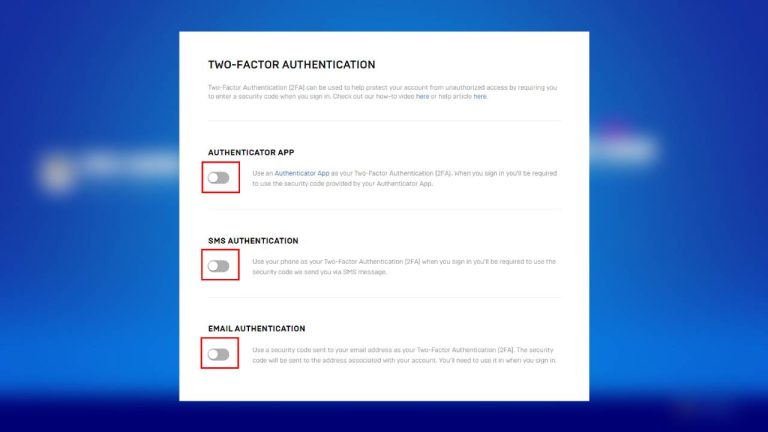
- The importance of two-factor authentication (2FA), which adds a vital layer of security by requiring not only a password but also a second factor such as a text message confirmation or an authentication app.
- How to encrypt your data effectively. For example, utilizing software that encrypts files before they are uploaded ensures that unauthorized users cannot access your sensitive information even if they gain access to your storage.
- Recognizing phishing attempts. Cybercriminals frequently employ deceitful emails that appear genuine to trick users into providing their credentials, making it crucial to be vigilant and discerning.
By understanding and applying these measures, you can unlock the immense benefits of cloud applications while ensuring the protection of your vital information. Your journey towards safer cloud storage begins here, providing a pathway to data security and peace of mind in an increasingly digital world.
DISCOVER MORE: Click here to learn how A/B tests can enhance user experience

Implementing Two-Factor Authentication
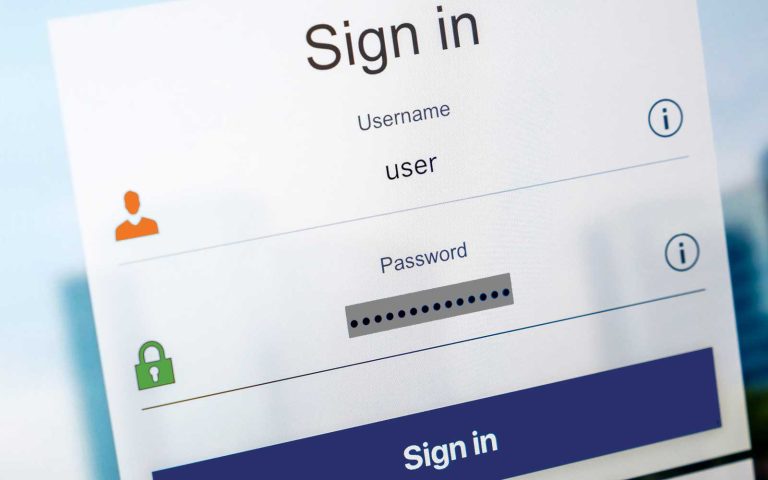
When it comes to securing your cloud storage, one of the most effective strategies is implementing two-factor authentication (2FA). This security measure adds an essential layer of protection by requiring users to confirm their identity through a two-step process. Typically, after entering a password, users receive a prompt for a second factor, which could be a code sent to their smartphone via text message or generated by an authentication app. In an era where data breaches are alarmingly frequent, enabling 2FA is a simple yet incredibly effective tactic to safeguard sensitive information.
According to the Cybersecurity and Infrastructure Security Agency (CISA), utilizing 2FA can prevent about 99% of automated cyberattacks. This essential step may initially seem cumbersome, but the peace of mind it provides is invaluable. Enabling 2FA not only protects your cloud storage but also minimizes the risk of unauthorized access to your entire digital ecosystem.
Mastering Data Encryption
Another critical aspect of securing your cloud storage involves mastering the art of data encryption. Encryption transforms your files into unreadable formats unless a specific key is used to decode them. This means that even if a cybercriminal manages to breach your cloud storage, they would only encounter a jumbled array of data that is useless without the decryption key.
For users who regularly store sensitive information, options like end-to-end encryption (E2EE) are invaluable. E2EE ensures that your data is encrypted before it leaves your device and remains secure until it reaches its intended recipient. Several cloud storage providers offer built-in encryption features, but users can also leverage third-party encryption software for an additional layer of protection. This proactive approach includes:
- Researching cloud providers: It’s essential to understand the encryption protocols your chosen service implements. Are your files encrypted in transit and at rest? How do they manage encryption keys?
- Encrypting files pre-upload: Before uploading sensitive documents, consider encrypting them independently to add another vital layer of security.
- Periodic reviews: Regularly re-evaluate your cloud storage’s security measures to incorporate any advancements in technology that could enhance your protections.
Spotting Phishing Attempts
With the proliferation of cloud services, phishing attacks are on the rise, with cybercriminals devising ever-more elaborate schemes to trick users into revealing their login credentials. Phishing attempts often come disguised as official communications, such as account notifications or important alerts. Recognizing these fraudulent activities is crucial to maintaining your cloud storage security. Here are some practical tips to help you identify phishing attempts:
- Examine the sender’s email address: Check for subtle discrepancies in the domain name that may not be immediately obvious.
- Be wary of urgent requests: Phishing emails often create a false sense of urgency, prompting users to act quickly without double-checking.
- Look for generic greetings: Emails addressing you as “Dear Customer” rather than using your name can be a red flag.
Staying vigilant against potential threats empowers you to maintain control over your data, allowing you to enjoy the many conveniences of cloud storage while keeping your information secure.
| Safety Measures | Description |
|---|---|
| Use Strong Passwords | Create unique and complex passwords to prevent unauthorized access. |
| Enable Two-Factor Authentication | Add an extra layer of security by requiring a secondary verification method. |
| Regular Backups | Ensure that data backups are made regularly to avoid loss during breaches. |
| Encryption | Utilize encryption tools for sensitive files before uploading them to the cloud. |
| Stay Updated | Keep your applications and devices updated to defend against vulnerabilities. |
When it comes to cloud storage applications, understanding and implementing essential safety measures is crucial for protecting your valuable data. Utilizing strategies such as strong passwords, enabling two-factor authentication, and performing regular backups enhances your security posture. Furthermore, robust measures like encryption can ensure that sensitive files remain confidential while stored in the cloud. Not to forget, staying updated with the latest security patches can prevent many potential threats. By adopting these Safety Tips for Using Cloud Storage Applications, you not only safeguard your information but also increase your peace of mind in an increasingly digital world.
DISCOVER MORE: Click here to learn how A/B tests can enhance user experience
Regularly Updating Software and Applications
One of the most significant aspects of maintaining security in cloud storage applications is the importance of regularly updating software and applications. Software updates often include critical patches that address known vulnerabilities and weaknesses. In fact, a study conducted by the University of Maryland found that a hacker attacks every 39 seconds on average, exploiting outdated software. By keeping your applications current, you significantly reduce the potential attack surface that cybercriminals can exploit.
Cloud storage services have a responsibility to safeguard user data, but users also play a crucial role in this partnership. To ensure that you’re protected:
- Enable automatic updates: Whenever possible, turn on automatic updates for both your operating system and cloud storage applications to always benefit from the latest security enhancements.
- Monitor software announcements: Be proactive in keeping an eye on notifications and announcements from the cloud service provider regarding updates, especially if you use third-party integration tools.
- Stay aware of unpatched software: Regularly check the software you use for any known vulnerabilities and take swift action if a critical flaw is identified.
Controlling Access Rights and Permissions
In today’s data-driven world, managing who has access to your files is essential. This is where controlling access rights and permissions comes into play. It is crucial to limit access to only those who truly need it, thus minimizing the risk of unintentional data breaches or losses. The principle of least privilege dictates that users should have the minimum level of access necessary to perform their tasks.
Consider these strategies for managing access effectively:
- Create user groups: Most cloud storage solutions allow for the creation of specific user groups with tailored permissions. This method simplifies managing access compared to assigning rights individually.
- Regular audits: Periodically review and adjust permissions. Employees may change roles or leave the organization, which can leave outdated access rights in place.
- Utilize features for expiration dates: Set expiration dates on access for temporary projects or specific collaborations, ensuring that data is only accessible as long as necessary.
Backing Up Data
While cloud storage offers a reliable way to store important files, relying solely on it can be a recipe for disaster. Data loss can occur due to hacking attempts, accidental deletion, or technical failures. This highlights the importance of backing up data securely. Having duplicate copies of critical information in separate locations ensures that it can be recovered swiftly and effectively.
Here are some backup strategies to consider:
- Utilize a 3-2-1 backup strategy: This strategy involves keeping three copies of your data, stored on two different media types, with one copy being located offsite to protect against local disasters.
- Choose a reputable backup service: Look for trusted solutions that offer automatic backups and easy file recovery functions. Services like Backblaze or Acronis are popular for their comprehensive backup capabilities.
- Test recovery procedures: Periodically simulate recovery from backups to ensure data integrity and that the process is smooth when needed.
By integrating these practices into your routine, you can significantly bolster the security of your cloud storage applications, allowing you to take full advantage of the many benefits cloud services have to offer while protecting your critical data.
DISCOVER MORE: Click here to learn how A/B tests can enhance user experience
Conclusion
In an era where data is the lifeblood of many businesses and individuals, ensuring the security of your cloud storage applications is not just essential, but a necessity. As we’ve explored, employing strategies such as updating software regularly, controlling access rights, and backing up data can significantly enhance your information’s safety. While cloud providers implement robust security measures, users must remain vigilant and proactive in managing their access, permissions, and the software they use.
The threat landscape is ever-evolving, with cybercriminals constantly seeking new vulnerabilities to exploit. Therefore, maintaining a holistic approach to security is paramount. Incorporating regular audits, promoting awareness among team members, and employing a diverse backup strategy, such as the 3-2-1 backup rule, can provide peace of mind against the unexpected. Furthermore, embracing emerging technologies such as encryption and utilizing multi-factor authentication can bolster defenses further.
Ultimately, staying informed about the latest security practices and trends is crucial. By doing so, not only do you protect your data, but you also build trust and credibility with clients and collaborators. Take the time to implement these safety tips for using cloud storage applications, ensuring that your digital assets remain secure and accessible when needed most. As technology advances, so too should our approach to data safety—investigate further and equip yourself with knowledge to navigate the complexities of cloud storage security.
Related posts:
How to Protect Your Mobile Devices from Malware in Apps
How to Identify and Avoid Phishing in Messaging Apps
Best Password Practices: How to Create and Manage Strong Passwords in Apps
How to Protect Your Personal Data on Social Media Apps
Tips to Enhance the Security of Your Financial Transactions in Payment Apps
How to Protect Your Personal Data on Social Media Apps

Beatriz Johnson is a seasoned tech writer and digital tools expert with a passion for simplifying the complexities of technology and mobile applications. With over a decade of experience in the tech industry, she specializes in topics like productivity apps, software reviews, and emerging digital trends. Through her work, Beatriz empowers readers to make informed technology choices and stay ahead in the ever-changing world of apps and innovation.