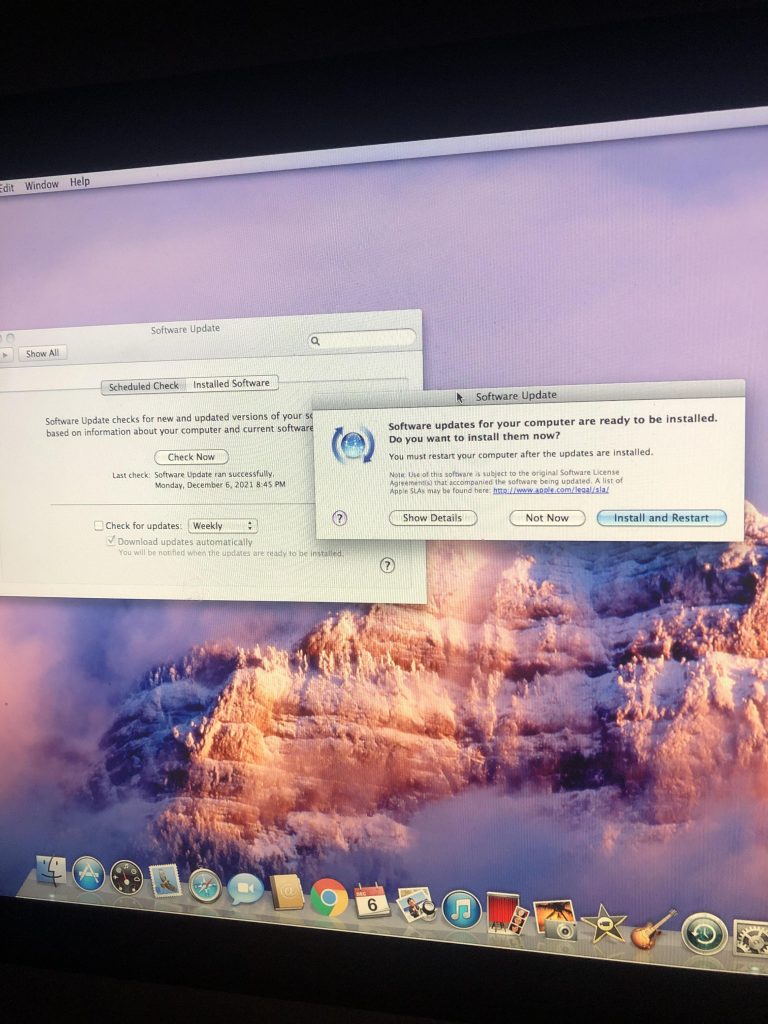
How to Choose the Best Time to Perform Software Updates on Your Device
The Critical Role of Timing in Software Updates
Software updates are not merely routine tasks; they are vital interventions for maintaining the performance and security of your devices. However, navigating the ideal timing for these updates is not always straightforward. Improperly timed updates can lead to a host of issues, including wasted time and unexpected downtime. Thus, understanding the right moments to implement updates can significantly enhance your user experience.
Key Considerations When Timing Your Updates
- Peak Usage Hours: Identifying peak usage hours is critical. For example, if you work from home, the early mornings and late afternoons might be your most productive times. Updating during these hours can lead to interruptions, slowing down your work process and disrupting your connection, especially if you are in the midst of important calls or video conferences.
- Internet Connectivity: A stable internet connection cannot be overlooked. Picture this: you initiate a hefty software update during a rainstorm, only to experience temporary outages. This could not only fail the update but also corrupt your existing software, leading to more significant issues. Before proceeding, ensure your Wi-Fi is robust and reliable, perhaps opting for wired connections if available.
- Device Compatibility: Different devices may have varying requirements for their updates. For instance, older models of smartphones may not support the latest software features, leading to slower performance or, in some cases, failures altogether. Before hitting ‘update’, make sure your device is compatible with the new software version by consulting the manufacturer’s website or user forums.
By carefully planning your update times, you can minimize disruptions while taking full advantage of new security features and improved functionality that updates typically provide. However, timing is merely one piece of the puzzle.
The Importance of Awareness
Understanding the potential risks associated with updates is equally important. For instance, update failures could leave your device vulnerable or cause it to malfunction temporarily. Many users have faced the dreaded “blue screen” scenario after a poorly timed update on their Windows machines. In today’s fast-paced world, each operating system also comes with unique quirks and behaviors that further complicate the update landscape.
Looking Ahead: Upcoming Insights
In the paragraphs that will follow, we will delve into practical advice on how to make informed decisions regarding when to schedule your software updates. Specifically, we will explore:
- The optimal times for updating across various devices
- Factors influencing your decision-making patterns
- Effective strategies for automating your updates to further streamline your experience
The balance between security and usability is delicate, yet it is crucial for keeping your devices running smoothly. Stay tuned as we unravel these essential concepts to enhance your digital life!

DISCOVER MORE: Click here to learn how A/B tests can enhance your app’s user experience
Assessing Device Usage Patterns for Optimal Updates
To choose the best time for software updates, one must first assess their personal device usage patterns. Understanding when you rely most heavily on your devices helps in determining the ideal windows for updates. By considering the nature of your tasks—whether work-related or leisure activities—you can streamline the update process effectively.
Identifying Your Peak Usage Times
Every user has specific hours during which their devices are indispensable. For example, if you frequently attend virtual meetings or engage in critical assignments during the workday, it would be prudent to schedule updates during off-peak hours. This period could fall early in the morning or late at night when you have minimal distractions.
Furthermore, weekends can often be viewed as a safer option for updating your software, as office environments tend to be less demanding during this time. Understanding the less congested hours for your personal or professional life can help you mitigate the risk of interruptions caused by unexpected updates.
Considering Your Device’s Performance
The performance of your device is another vital consideration. Older systems may struggle with new updates, which could lead to significantly slower operations or even crashes. To avoid this, look for software updates that have been specifically reported to improve the performance or enhance compatibility of older devices. Some updates might also come with patches for known issues impacting older models.
Weather and Environmental Factors
Believe it or not, external elements—such as severe weather—can influence the timing of your updates. For those living in areas prone to storms or inclement weather, initiating a software update during such times could lead to unexpected connectivity issues. Whenever possible, pay attention to your local weather forecasts before diving into an update. The idea is to align your update schedule with conditions that are likely to provide a stable internet connection.
Preparing for the Update
- Backup Your Data: Before initiating any updates, ensure that your important data is backed up. This will safeguard against data loss, should the update encounter issues.
- Check Compatibility: Confirm that your device meets the necessary requirements for the update. This information can often be found on the software developer’s website or through user forums.
- Ensure Sufficient Space: Lack of storage space can halt the update process. Check your device’s storage beforehand to avoid interruptions.
Being well-prepared allows for a smoother transition when executing software updates, ultimately leading to fewer frustrations along the way. By taking these factors into account, you can significantly enhance your overall experience with software updates.
Choosing the best time to perform software updates on your device is not just about following prompts; it’s a strategic decision that can significantly affect your device’s performance and security. To aid in this process, consider the following critical factors:
Understanding Update Schedules
Most software updates are released by developers on a schedule, often at specific times to minimize usage disruptions. This means that being aware of when these updates roll out can help you plan accordingly. For example, weekends or late-night hours are often ideal as they typically experience lower activity levels, reducing the chances of interruptions during the installation process.
Device Usage Patterns
Analyzing your own usage patterns is crucial. If you regularly use your device for important tasks, you might want to avoid updating during these peak times. Monitoring your routine can allow you to identify periods of lower activity where installations won’t hinder your productivity.
Backup Considerations
Before performing an update, it’s wise to back up your data. Understanding when the last backup occurred can inform your update timing. If updates lead to issues, having a revised backup can save you from data loss. Scheduling software updates for times shortly after you complete a backup can give you peace of mind.
Potential Impact on Performance
Software updates can temporarily slow down your device as new software installs and optimizes. Being aware of this can influence your choice of timing. Update during periods when you are not heavily reliant on your device, ensuring that software installations don’t negatively impact your work or leisure activities.
Staying Informed
Keeping abreast of news regarding software updates, especially those that patch security vulnerabilities, can signal when immediate updates are necessary. Subscribing to developer notifications or following tech news sources can keep you informed about critical updates that shouldn’t be delayed. This proactive approach is vital for maintaining device security.
Overall, by evaluating your usage patterns, knowing the update schedules, and staying aware of backup and performance implications, you can efficiently plan software updates without compromising your device’s usability or security.
| Timing Considerations | Effects on Device |
|---|---|
| Weekends | Lower activity; minimal disruption |
| Late Night | Ideal for long installations |
| Post-Backup | Ensures data safety during updates |
| Low Dependency Times | Minimizes performance impact |
DISCOVER MORE: Click here to learn how A/B tests can enhance your app
Understanding Update Schedules and Notifications
Software updates are integral to maintaining the security and functionality of your device, yet understanding the update schedules can simplify the decision-making process. Different platforms and devices come with their own update rhythms, which can significantly influence when you should schedule updates.
Operating System Update Patterns
Most operating systems, whether Windows, macOS, iOS, or Android, have specific release patterns for their updates. Being aware of these can be beneficial. For instance, major updates are often rolled out during the evenings or weekends to minimize disruptions. Keeping an ear to the ground regarding announcements from operating system developers can guide you to plan around these intervals, allowing you to take advantage of smoother update transitions.
Furthermore, automatic updates can be a double-edged sword. While they ensure that your software stays current without you lifting a finger, they can also disrupt your workflow at inopportune times. Enabling notifications for updates allows you to stay informed and make educated decisions about when to pause your automatic updates temporarily.
Monitoring Update Rollouts and Feedback
Before scheduling your updates, consider the community feedback surrounding recent releases. Many platforms, particularly those focused on consumer products, offer forums or social media channels where users discuss their experiences with the latest updates. If a particular update has garnered complaints about major issues or stability problems, you might want to delay your installation until a patch is released. Tools like Reddit, Twitter, or even official forums can provide real-time insights into common user experiences and satisfaction levels.
Time Zone Considerations
For those who frequently travel or work across various time zones, it is crucial to consider how timing can vary based on location. Software updates may be rolled out in waves, starting in certain regions. If you live on the east coast but frequently work with teams on the west coast, keeping time zone differences in mind is essential. Updates may surface while you are half-sleeping, affecting your productivity. Adjust your scheduling based on where the updates are released as you navigate your responsibilities.
Scheduled Maintenance Windows
Many organizations and businesses set defined maintenance windows for software updates to ensure that essential services remain uninterrupted. If you work within a larger corporate environment, it’s prudent to take note of these schedules. For example, IT departments often implement updates during weekend hours or designated downtime. You should align your update practices with your organization’s maintenance cycles to avoid conflicts that could disrupt your workflow.
- Informed Scheduling: Educate yourself about your device’s update schedule to plan accordingly.
- Real-time Feedback: Utilize platforms to monitor user experiences and feedback on updates.
- Time Zone Awareness: Factor in travel and work-related time zone differences when planning updates.
- Corporate Maintenance Schedules: Familiarize yourself with your organization’s update schedules to prevent clashes.
By mastering these elements, you’ll be in a better position to harness the full benefits of software updates while minimizing disruptions to your daily routine. Understanding the nuances of update schedules creates a foundation for developing a tailored update strategy that caters specifically to your digital lifestyle.
DIVE DEEPER: Click here to discover how A/B tests can enhance your app’s UX
Final Thoughts: Timing is Everything in Software Updates
Choosing the best time to perform software updates on your device is a multifaceted process that can greatly enhance your overall digital experience. By understanding operating system patterns and aligning them with your personal and professional schedules, you can avoid unnecessary interruptions. Remember to analyze user feedback regularly; community insights can often reveal trends that may not be apparent through official channels. Staying engaged with update announcements and utilizing social media can provide you with timely information ahead of release schedules.
Moreover, considering time zone differences is essential, especially for those who work with teams across various locations. Ensuring your updates align with the geographic rollouts can prevent unwanted disruptions during peak productivity hours. Additionally, if you operate within a corporate environment, coordinating with your organization’s maintenance windows will help you maintain uninterrupted service and a smooth workflow.
In conclusion, effective scheduling of software updates allows you to benefit from enhanced security and functionality while minimizing potential setbacks. By employing a proactive approach grounded in understanding your device’s update cycles, monitoring community feedback, and respecting time management, you can optimize the software updating process. As technology evolves, remaining vigilant will ensure that you are not just a passive user but an informed decision-maker navigating the ever-changing digital landscape. Embrace the exploration; the right timing can make all the difference in your technological journey.
Related posts:
The Importance of Software Updates for User Security
Understanding the New Features in the Latest Software Update: A User's Guide
Troubleshooting Common Issues After Software Updates: Tips and Solutions
Demystifying Technical Terms: What Really Happens During a Software Update
The Importance of Regular Software Updates for Cybersecurity
Understanding the Impact of Software Updates on App Compatibility

Beatriz Johnson is a seasoned tech writer and digital tools expert with a passion for simplifying the complexities of technology and mobile applications. With over a decade of experience in the tech industry, she specializes in topics like productivity apps, software reviews, and emerging digital trends. Through her work, Beatriz empowers readers to make informed technology choices and stay ahead in the ever-changing world of apps and innovation.